# YoutubeDL-Material
[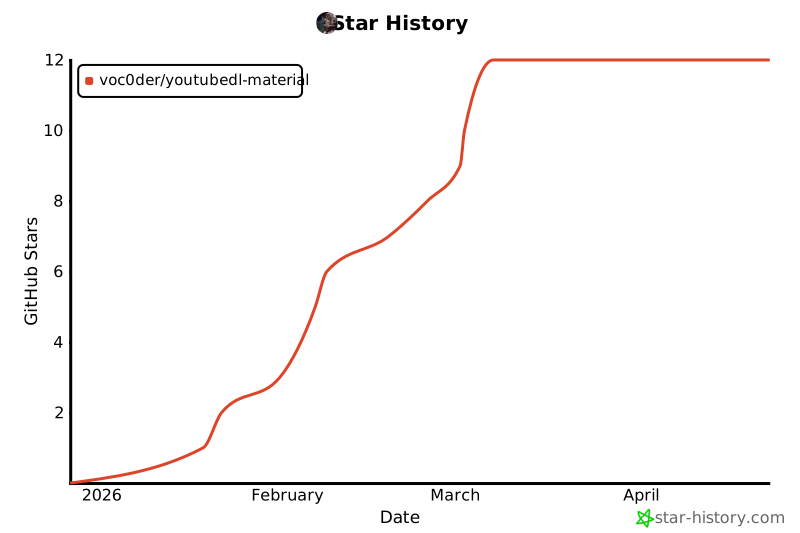](https://star-history.com/#voc0der/YoutubeDL-Material&Date)
[](https://hub.docker.com/r/voc0der/youtubedl-material)
[](https://hub.docker.com/r/voc0der/youtubedl-material)
[](https://github.com/voc0der/YoutubeDL-Material/issues)
[](https://github.com/voc0der/YoutubeDL-Material/blob/master/LICENSE.md)
YoutubeDL-Material is a Material Design frontend for [youtube-dl](https://rg3.github.io/youtube-dl/) / yt-dlp workflows. It's coded using [Angular 21](https://angular.dev/) for the frontend, and [Node.js](https://nodejs.org/) on the backend.
## Getting Started
Check out the prerequisites, and go to the [installation](#Installing) section. Easy as pie!
Here's an image of what it'll look like once you're done:
 Dark mode:
 ### Prerequisites
NOTE: If you would like to use Docker, you can skip down to the [Docker](#Docker) section for a setup guide.
Required dependencies:
* Node.js 24 (npm 10+)
* Python 3
Optional dependencies:
* AtomicParsley (for embedding thumbnails, package name `atomicparsley`)
* [Twitch Downloader CLI](https://github.com/lay295/TwitchDownloader) (for downloading Twitch VOD chats)
### Prerequisites
NOTE: If you would like to use Docker, you can skip down to the [Docker](#Docker) section for a setup guide.
Required dependencies:
* Node.js 24 (npm 10+)
* Python 3
Optional dependencies:
* AtomicParsley (for embedding thumbnails, package name `atomicparsley`)
* [Twitch Downloader CLI](https://github.com/lay295/TwitchDownloader) (for downloading Twitch VOD chats)
Debian/Ubuntu
```bash
curl -fsSL https://deb.nodesource.com/setup_24.x | sudo -E bash -
sudo apt-get install -y nodejs ffmpeg unzip python3 python3-pip
# Optional but recommended for local installs:
python3 -m pip install --user yt-dlp yt-dlp-ejs
```
### Installing
If you are using Docker, skip to the [Docker](#Docker) section. Otherwise, continue:
1. First, download the [latest release](https://github.com/voc0der/YoutubeDL-Material/releases/latest)!
2. Drag the `youtubedl-material` directory to an easily accessible directory. Navigate to the `appdata` folder and edit the `default.json` file.
NOTE: If you are intending to use a [reverse proxy](https://github.com/voc0der/YoutubeDL-Material/wiki/Reverse-Proxy-Setup), this next step is not necessary
3. Port forward the port listed in `default.json`, which defaults to `17442`.
4. Once the configuration is done, install and start the backend:
```bash
npm install --prefix backend
npm start --prefix backend
```
This runs the backend server, which serves the frontend as well. On your browser, navigate to the server URL with the configured port. Try putting in a YouTube link to see if it works.
If you experience problems, know that it's usually caused by a configuration problem. The first thing you should do is check the console. To get there, right click anywhere on the page and click "Inspect element." Then on the menu that pops up, click console. Look at the error there, and try to investigate.
## Build it yourself
If you'd like to install YoutubeDL-Material, go to the Installation section. If you want to build it yourself and/or develop the repository, then this section is for you.
To deploy from source, clone the repository and go into the `youtubedl-material` directory.
Requirements for local builds:
* Node.js `>=24 <26`
* npm `>=10`
Install dependencies and build the frontend:
```bash
npm install
npm install --prefix backend
npm run build
```
This builds the app and puts the output files in `backend/public`.
NOTE: `npm start` in the repo root starts the Angular dev server (`ng serve`). To run the backend app, use `npm start --prefix backend`.
### Angular 21 / Videogular install note
The repo currently uses Angular 21 and `@videogular/ngx-videogular@20`. Videogular 20 still declares Angular 20 peer ranges, so the repository includes a temporary `.npmrc` with `legacy-peer-deps=true`.
Please keep this file when building locally or in Docker until Videogular publishes Angular 21 peer support.
### Run backend
Install `pm2` globally, then start the backend:
```bash
npm -g install pm2
npm start --prefix backend
```
If you want your instance available outside your network, set up a [reverse proxy](https://github.com/voc0der/YoutubeDL-Material/wiki/Reverse-Proxy-Setup) or port forward the configured backend port (default `17442`).
## Docker
### Host-specific instructions
If you're on a Synology NAS, unRAID, Raspberry Pi 4 or any other possible special case you can check if there's known issues or instructions both in the issue tracker and in the [Wiki!](https://github.com/voc0der/YoutubeDL-Material/wiki#environment-specific-guideshelp)
Note: official ARMv7 Docker image builds have been retired. Use `amd64` / `arm64` images or build locally for unsupported architectures.
### Setup
If you are looking to setup YoutubeDL-Material with Docker, this section is for you. And you're in luck! Docker setup is quite simple.
1. Run `curl -L https://github.com/voc0der/YoutubeDL-Material/releases/latest/download/docker-compose.yml -o docker-compose.yml` to download the latest Docker Compose, or go to the [releases](https://github.com/voc0der/YoutubeDL-Material/releases/) page to grab the version you'd like.
2. Run `docker compose pull` (or `docker-compose pull` on older Docker setups). This will download the official YoutubeDL-Material docker image.
3. Run `docker compose up -d` (or `docker-compose up -d`) to start it up. The container exposes port `17442` internally. Please check your `docker-compose.yml` file for the *external* port. If you downloaded the file as described above, it defaults to **8998**.
4. Make sure you can connect to the specified URL + *external* port, and if so, you are done!
Docker environment variables (click to expand)
Common Docker env vars used by the provided `docker-compose.yml` (plus logging):
- `ytdl_mongodb_connection_string`: MongoDB connection string (default compose file points to `mongodb://ytdl-mongo-db:27017`)
- `ytdl_use_local_db`: set to `'false'` to use MongoDB instead of the local JSON DB
- `write_ytdl_config`: set to `'true'` to write env-backed settings into `appdata/default.json` on startup
- `UID` / `GID`: set the app user/group IDs used inside the container (default behavior drops to `1000:1000`)
- `YTDL_LOG_LEVEL` (or `ytdl_log_level`): backend log level, default `info`
- Valid log levels: `error`, `warn`, `info`, `verbose`, `debug`
- `ytdl_ssl_cert_path` / `ytdl_ssl_key_path`: enable HTTPS by pointing to mounted cert/key files
- `ytdl_reverse_proxy_whitelist`: comma-separated CIDR ranges allowed to connect (reverse proxy IPs, not client IPs)
- `ytdl_multi_user_mode`: set to `'true'` to enable user-scoped media; required when OIDC is enabled
- OIDC required vars:
- `ytdl_oidc_enabled`: set to `'true'`
- `ytdl_oidc_issuer_url`: your OIDC issuer URL
- `ytdl_oidc_client_id`: OIDC client ID
- `ytdl_oidc_client_secret`: OIDC client secret
- `ytdl_oidc_redirect_uri`: callback URL (must end with `/api/auth/oidc/callback`)
- OIDC optional vars:
- `ytdl_oidc_scope` (default `openid profile email`)
- `ytdl_oidc_allowed_groups` (comma-separated allow-list)
- `ytdl_oidc_group_claim` (default `groups`)
- `ytdl_oidc_admin_claim` / `ytdl_oidc_admin_value` (defaults `groups` / `admin`)
- `ytdl_oidc_auto_register` (default `'true'`)
- `ytdl_oidc_username_claim` / `ytdl_oidc_display_name_claim`
- `ytdl_oidc_migrate_videos`: optional one-time startup migration target (UID or username) for unassigned media ownership
Example Docker Compose snippet:
```yml
environment:
ytdl_mongodb_connection_string: 'mongodb://ytdl-mongo-db:27017'
ytdl_use_local_db: 'false'
write_ytdl_config: 'true'
# UID: 1000
# GID: 1000
# YTDL_LOG_LEVEL: debug
# ytdl_ssl_cert_path: /mnt/keys/fullchain.pem
# ytdl_ssl_key_path: /mnt/keys/privkey.pem
# ytdl_reverse_proxy_whitelist: 172.28.0.100/32
# ytdl_multi_user_mode: 'true'
# ytdl_oidc_enabled: 'true'
# ytdl_oidc_issuer_url: 'https://idp.example.com/realms/ytdl'
# ytdl_oidc_client_id: 'youtubedl-material'
# ytdl_oidc_client_secret: 'replace-with-secret'
# ytdl_oidc_redirect_uri: 'https://ytdl.example.com/api/auth/oidc/callback'
# ytdl_oidc_scope: 'openid profile email'
# ytdl_oidc_allowed_groups: 'media,admins'
# ytdl_oidc_admin_claim: 'groups'
# ytdl_oidc_admin_value: 'admin'
# ytdl_oidc_auto_register: 'true'
# ytdl_oidc_username_claim: 'preferred_username'
# ytdl_oidc_display_name_claim: 'name'
# ytdl_oidc_migrate_videos: 'admin'
```
If you prefer, you can also use Docker's `user: "UID:GID"` setting instead of `UID`/`GID`.
OIDC note: when `ytdl_oidc_enabled` is `'true'`, `ytdl_multi_user_mode` must also be `'true'` or backend startup will fail.
## MongoDB
For much better scaling with large datasets please run your YoutubeDL-Material instance with MongoDB backend rather than the json file-based default. It will fix a lot of performance problems (especially with datasets in the tens of thousands videos/audios)!
[Tutorial](https://github.com/voc0der/YoutubeDL-Material/wiki/Setting-a-MongoDB-backend-to-use-as-database-provider-for-YTDL-M).
## API
[API Docs](https://youtubedl-material.stoplight.io/docs/youtubedl-material/Public%20API%20v1.yaml)
To get started, go to the settings menu and enable the public API from the *Extra* tab. You can generate an API key if one is missing.
Once you have enabled the API and have the key, you can start sending requests by adding the query param `apiKey=API_KEY`. Replace `API_KEY` with your actual API key, and you should be good to go! Nearly all of the backend should be at your disposal. View available endpoints in the link above.
## Contributing
If you're interested in contributing, first: awesome! Second, please refer to the guidelines/setup information located in the [Contributing](https://github.com/voc0der/YoutubeDL-Material/wiki/Contributing) wiki page, it's a helpful way to get you on your feet and coding away.
Pull requests are always appreciated! If you're a bit rusty with coding, that's no problem: we can always help you learn. And if that's too scary, that's OK too! You can create issues for features you'd like to see or bugs you encounter, it all helps this project grow.
If you're interested in translating the app into a new language, check out the [Translate](https://github.com/voc0der/YoutubeDL-Material/wiki/Translate) wiki page.
## Authors
* **Isaac Grynsztein** (me!) - *Initial work*
* **voc0der** - *Current maintenance*
Official translators:
* Spanish - tzahi12345
* German - UnlimitedCookies
* Chinese - TyRoyal
See also the list of [contributors](https://github.com/voc0der/YoutubeDL-Material/graphs/contributors) who participated in this project.
## License
This project is licensed under the MIT License - see the [LICENSE.md](LICENSE.md) file for details
## Legal Disclaimer
This project is in no way affiliated with Google LLC, Alphabet Inc. or YouTube (or their subsidiaries) nor endorsed by them.
## Acknowledgments
* youtube-dl
* [AllTube](https://github.com/Rudloff/alltube) (for the inspiration)